

How to Export Order Items from Etsy Seller (2026 Guide)
Follow these steps to export your Etsy Seller order items as a CSV file. Once exported, you can use any of our converter tools to transform the data for your target system.
Export Steps
Sign in to Etsy and open Shop Manager
Go to Etsy.com and sign in with your seller account credentials. Once logged in, click the Shop Manager icon in the top-right corner of the page. This takes you to the central dashboard where you can manage orders, listings, finances, and settings.

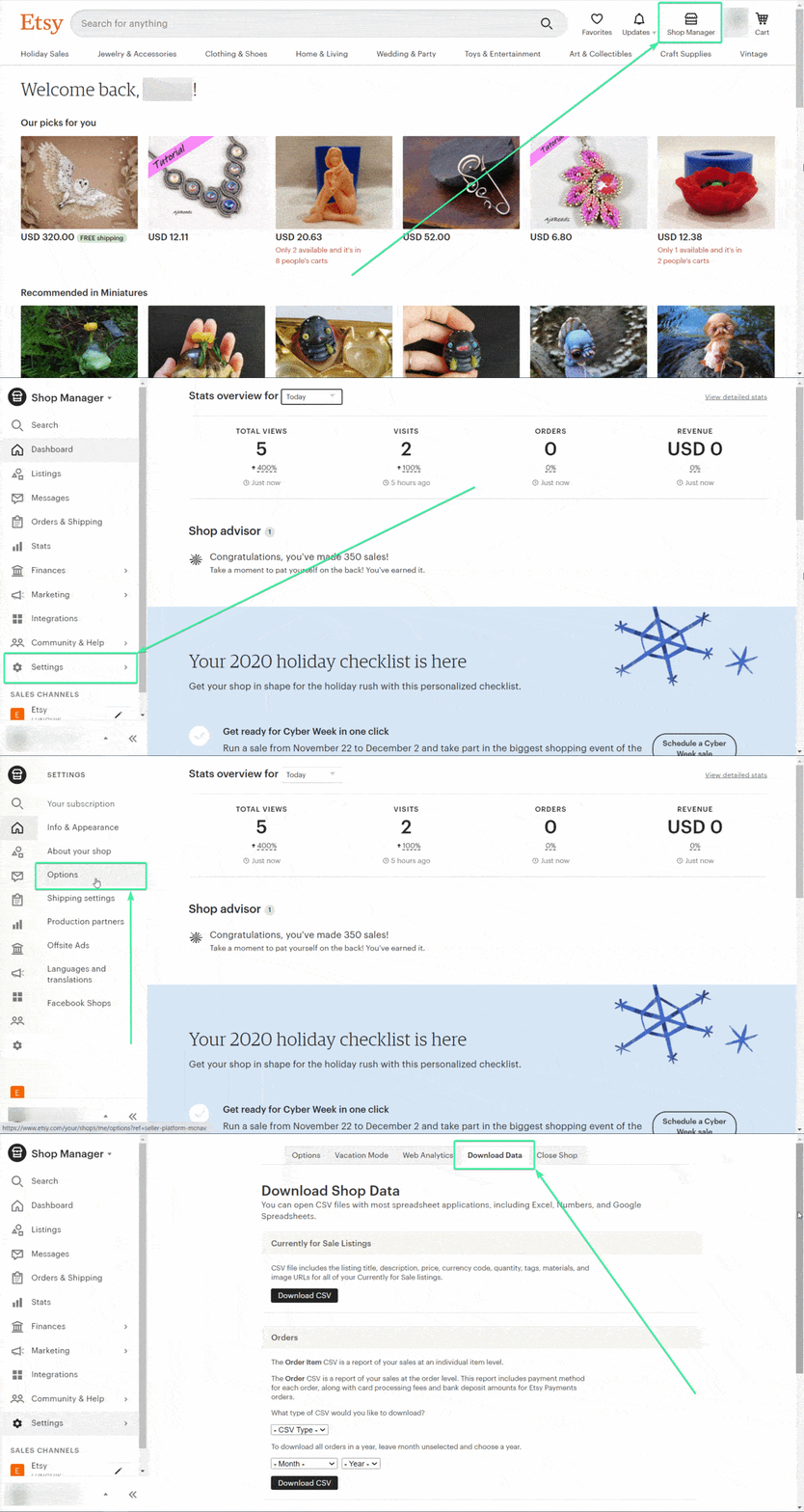
Navigate to Settings and Options
In the left-hand sidebar of Shop Manager, click Settings. From the Settings page, select the Options tab at the top. This section contains shop preferences, download data tools, and other configuration options for your Etsy store.
Open the Download Data tab
On the Options page, click the Download Data tab. This page is divided into sections: one for currently-for-sale listings at the top, and one for order data below. The order data section contains dropdown menus for selecting the CSV type, month, and year.
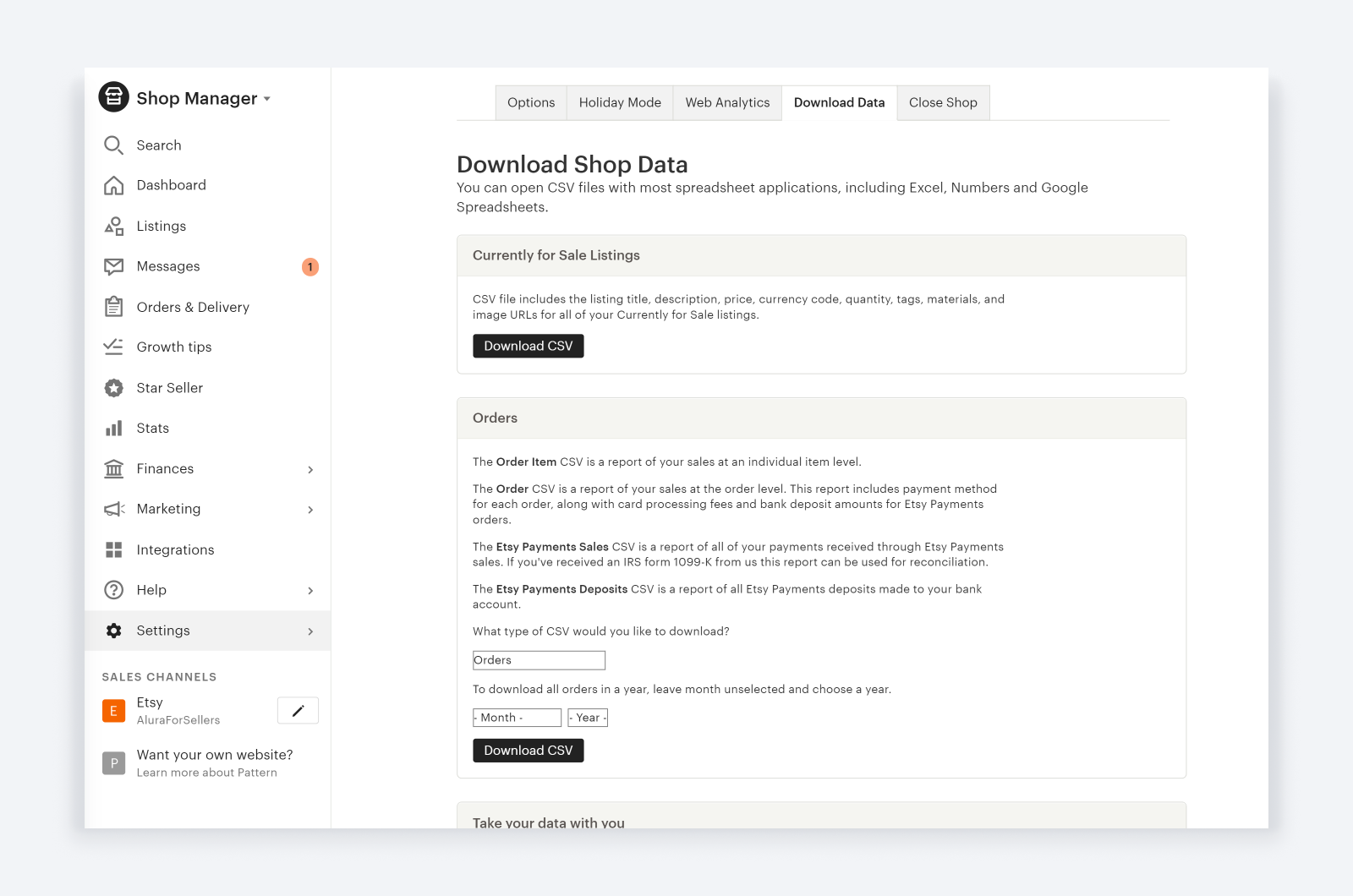
Select CSV Order Items as the report type
In the CSV Type dropdown under the Orders section, select "CSV Order Items". This option exports one row per item sold, so multi-item orders will appear as multiple rows. It includes item names, prices, fees, shipping, tax, and buyer information.
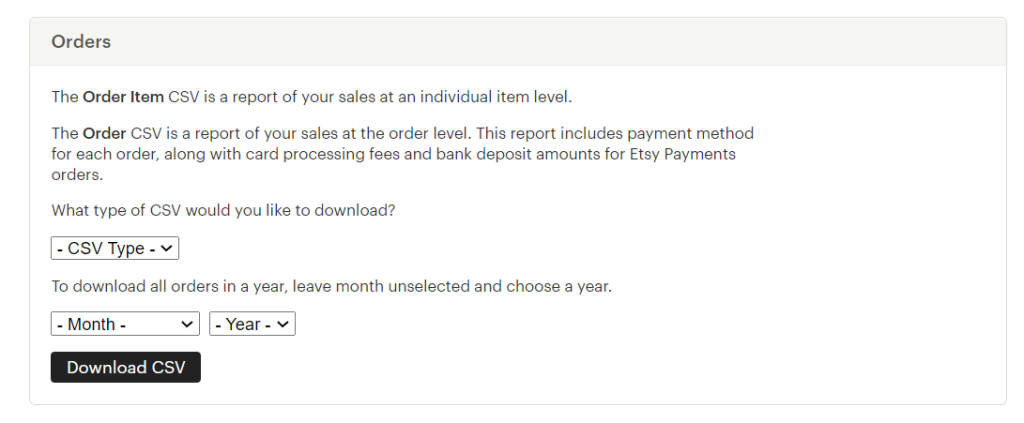
Choose the date range for your export
Use the Month and Year dropdown menus to select the period you want to export. To download an entire year of orders, leave the Month dropdown set to its default blank value and select only the year. You can also select a specific month for smaller exports.

Click Download CSV
Click the Download CSV button. Etsy will generate the file and download it directly to your computer. The file is saved in CSV format with a name like EtsySoldOrderItems-YYYY.csv. Depending on your order volume, the download may take a few seconds.
Open and verify the CSV file
Open the downloaded CSV file in a spreadsheet application such as Microsoft Excel, Google Sheets, or LibreOffice Calc. Verify that the columns include Sale Date, Order ID, Item Name, Price, fees, and other expected fields. Check that the row count aligns with the number of items you sold in the selected period.
Required Order Items Fields
| Field | Type | Description | Example |
|---|---|---|---|
| Sale Date | Date/Time | Transaction date/time | Jan 15, 2026 |
| Order ID | Text | Etsy order number | 3001234567 |
| Item Name | Text | Product title/name | Handmade Ceramic Mug - Blue Glaze |
| Quantity | Number | Quantity sold | 2 |
| Price | Currency | Unit price before discounts | 25.00 |
Your Etsy Seller export must include these fields for successful conversion.
