

How to Export Products from Etsy Seller (2026 Guide)
Follow these steps to export your Etsy Seller products as a CSV file. Once exported, you can use any of our converter tools to transform the data for your target system.
Export Steps
Sign in to Etsy and open Shop Manager
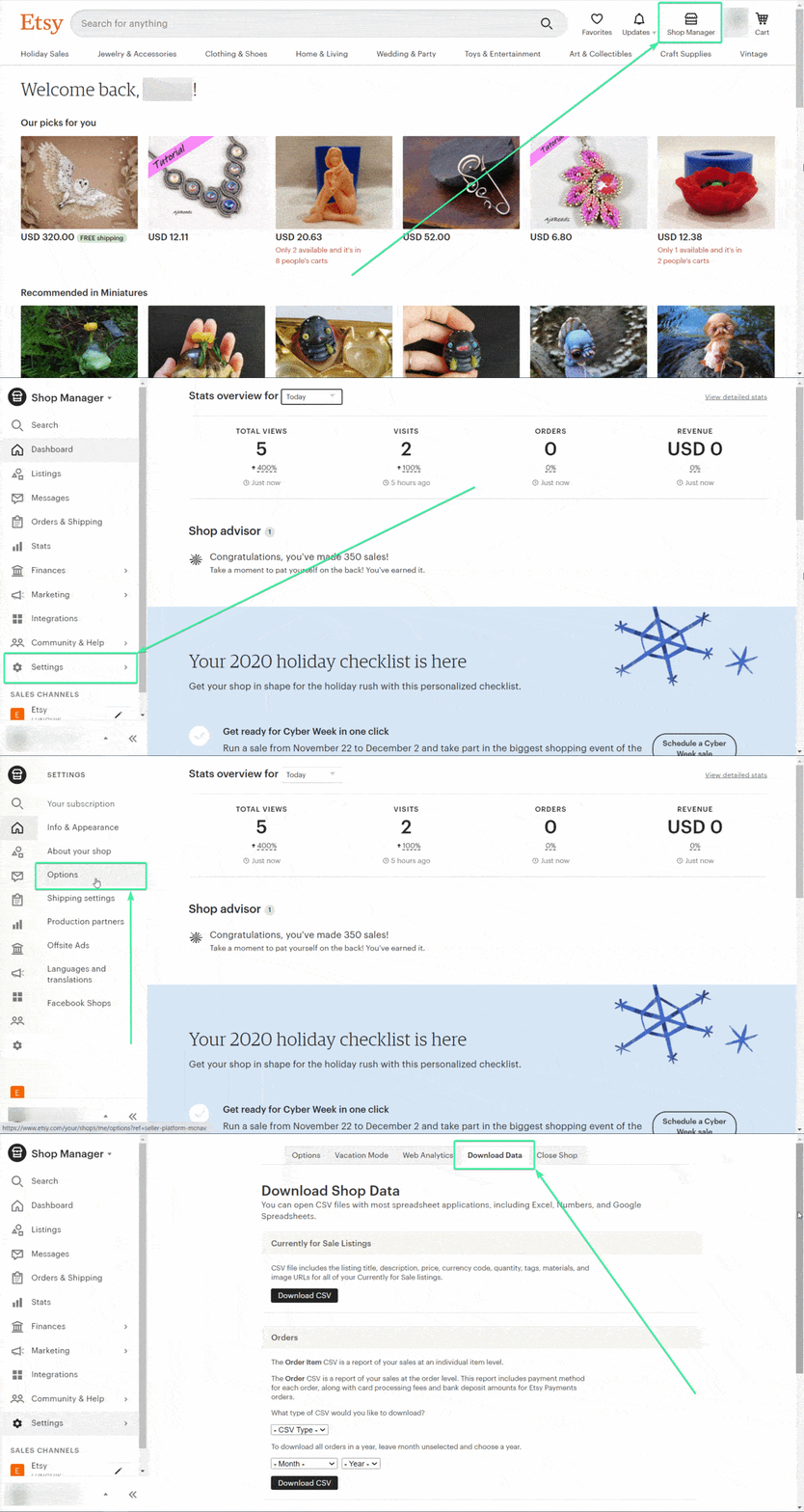
Go to Etsy.com and sign in with your seller account. Click the Shop Manager icon in the top-right corner of the page. This takes you to your central seller dashboard.
Navigate to Settings and Options
In the left-hand sidebar, click Settings, then select the Options tab at the top of the page. The Options page contains shop preferences and the Download Data tool you need for this export.
Open the Download Data tab
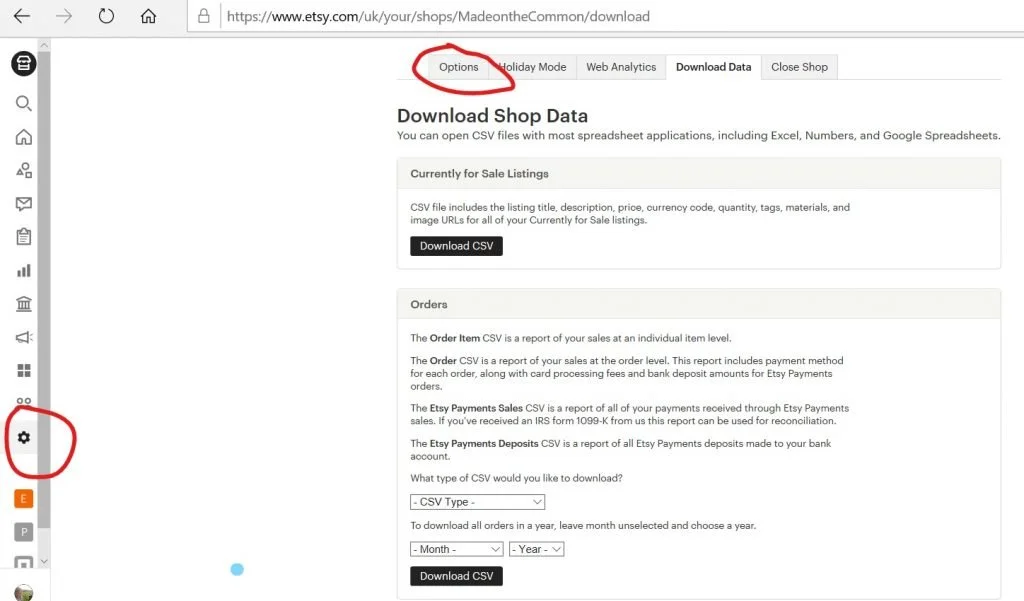
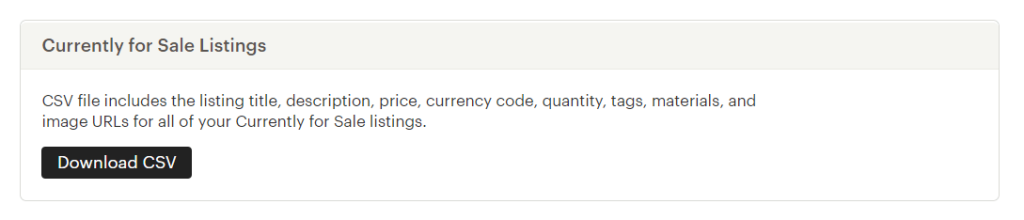
Click the Download Data tab on the Options page. At the top of this section, you will see a "Currently for Sale Listings" area with a Download CSV button. This is separate from the order data section below it.
Download the active listings CSV
Click the Download CSV button under "Currently for Sale Listings". Etsy will generate a CSV file containing all your active product listings and download it to your computer. The file includes product titles, descriptions, prices, quantities, tags, materials, image URLs, and SKU numbers.

Review the product data
Open the downloaded CSV in a spreadsheet application. Each row represents one active listing. Key columns include TITLE, PRICE, QUANTITY, DESCRIPTION, IMAGE1 through IMAGE10, TAGS, MATERIALS, WHO_MADE, and WHEN_MADE. Verify the row count matches your active listing count shown in Shop Manager.
Check image URLs and product details
Scroll through the IMAGE columns (IMAGE1 through IMAGE10) to verify that image URLs are present. Each column holds a single URL pointing to an Etsy-hosted image. Confirm that product descriptions, materials, and tags are populated for the listings you plan to migrate or analyze.

Required Products Fields
| Field | Type | Description | Example |
|---|---|---|---|
| TITLE | Text | Product name/title | Handmade Ceramic Mug - Blue Glaze |
| PRICE | Currency | Product price | 25.00 |
Your Etsy Seller export must include these fields for successful conversion.
