

How to Export Transactions from Coinbase (2026 Guide)
Follow these steps to export your Coinbase transactions as a CSV file. Once exported, you can use any of our converter tools to transform the data for your target system.
Export Steps
Sign in to your Coinbase account
Open your web browser and go to coinbase.com. Sign in with your email and password, then complete any two-factor authentication. You need to use the web interface because the mobile app has limited export functionality.

Navigate to the Taxes section
From your Coinbase dashboard, click on the grid icon next to your profile button in the top-right corner. Select 'Taxes' from the menu. Within the Taxes section, navigate to the 'Documents' tab where transaction reports are available.

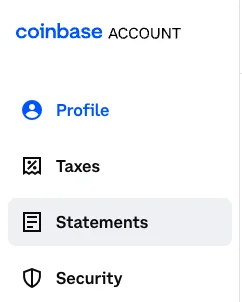
Access the Statements page
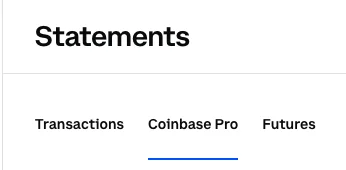
Click on 'Statements' (not 'Taxes') to access the transaction history export tool. This is where you can generate a custom CSV file containing all your buy, sell, send, receive, and convert transactions.

Configure the export parameters
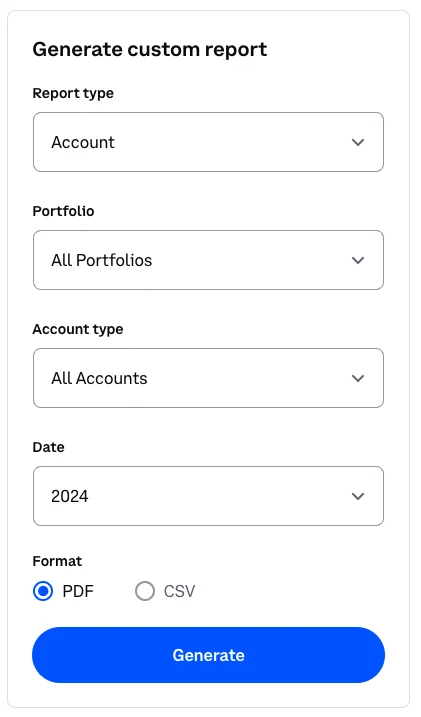
Under 'Generate custom statement', ensure that 'All assets' and 'All transactions' are selected. Set the date range to 'Custom' and enter your desired start and end dates. Choose a start date as far back as your trading history goes if you need a complete export.
Select CSV format and download
Choose 'CSV' as the output format and click 'Download' or 'Generate'. Coinbase will create the file and begin the download. The CSV includes columns for Timestamp, Transaction Type, Asset, Quantity Transacted, Spot Price, Subtotal, Total (inclusive of fees), and Fees.
Verify the transaction data
Open the downloaded CSV in a spreadsheet application. Confirm that all transaction types (Buy, Sell, Send, Receive, Convert, Rewards) are represented and that the date range matches your request. Spot-check a few transactions against your Coinbase transaction history page.
Required Transactions Fields
| Field | Type | Description | Example |
|---|---|---|---|
| Timestamp | Date/Time | Transaction timestamp (ISO 8601 UTC) | 2025-01-15T10:30:00Z |
| Transaction Type | Choice | Type of crypto transaction | Buy |
| Asset | Text | Cryptocurrency symbol (BTC, ETH, USDC, etc.) | BTC |
| Quantity Transacted | Currency | Amount of crypto transacted | 0.005 |
| Spot Price Currency | Text | Fiat currency for pricing | USD |
| Spot Price at Transaction | Currency | Market price at time of transaction | 42150.25 |
| Subtotal | Currency | Amount before fees | 210.75 |
| Total (inclusive of fees) | Currency | Final USD amount including fees | 213.86 |
Your Coinbase export must include these fields for successful conversion.
