

How to Export Fees from Worldpay (2026 Guide)
Follow these steps to export your Worldpay fees as a CSV file. Once exported, you can use any of our converter tools to transform the data for your target system.
Export Steps
Log in to the Worldpay iQ Portal
Open your browser and sign in to the Worldpay iQ Reporting and Analytics portal. Use your merchant account credentials to access the reporting dashboard.
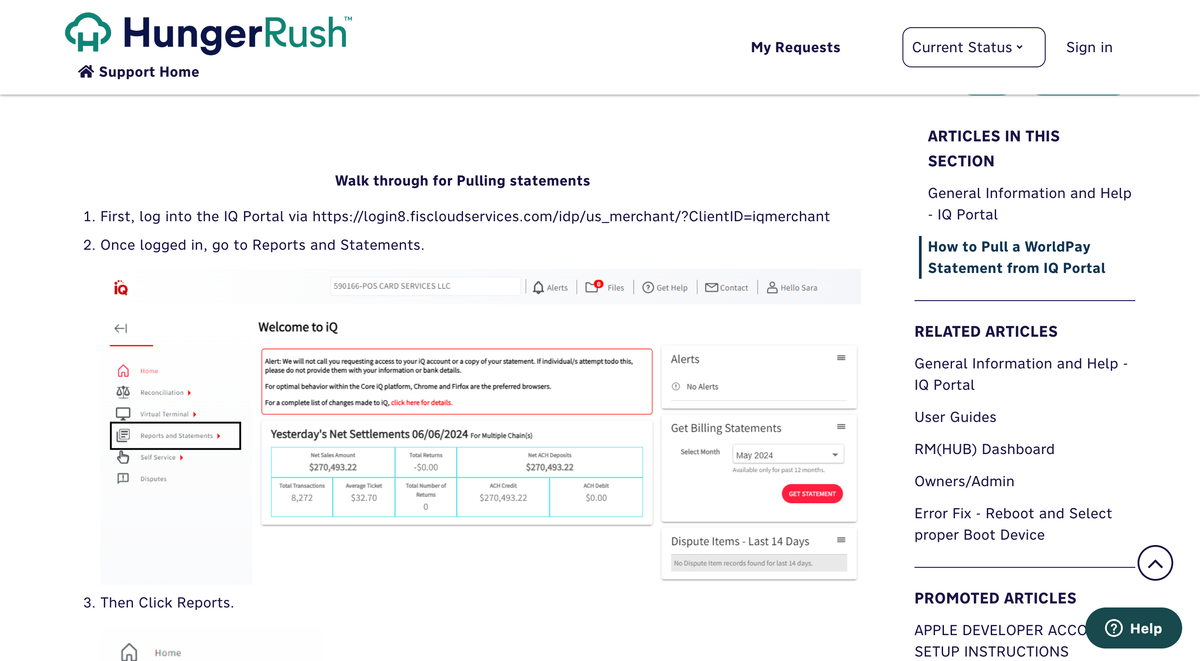
Navigate to the Fee Report
From the iQ Bar, click the Financial icon. Select 'Fee Report' from the list of available financial reports. The Fee Report provides a granular breakdown of all processing fees charged by Worldpay for each transaction.
Set the report date range
Choose the Activity Date range for the fee data you want to review. You can also filter by payment method, fee type, or category. Click 'View' to generate the report with your selected parameters.

Review the fee categories
The Fee Report breaks down charges by Fee Type (e.g., Worldpay processing fee, interchange fee, assessment fee) and Category (e.g., Card Present, Card Not Present). Review these columns to understand the composition of your total processing costs.
Export the report to CSV
Click the Export or Download button to save the fee data as a CSV file. The export includes Transaction ID, Activity Date, Settlement Date, Fee Type, Category, Payment Method, Fee Amount, and Fee Currency for each fee line item.
Verify the fee data
Open the CSV in a spreadsheet and confirm that the Fee Amount values are correct. Match Transaction IDs against your settlement report to ensure all transactions have corresponding fee records. Sum the Fee Amount column to calculate total processing costs for the period.
Required Fees Fields
| Field | Type | Description | Example |
|---|---|---|---|
| Transaction ID | Text | Transaction identifier | PAY-1234567890 |
| Activity Date | Date | Activity date | 2025-01-15 |
| Settlement Date | Date | Settlement date | 2025-01-17 |
| Fee Type | Text | Fee category | Worldpay |
| Fee Amount | Currency | Fee amount | 1.75 |
Your Worldpay export must include these fields for successful conversion.