

How to Export Flat File Electronics from Amazon Seller (2026 Guide)
Follow these steps to export your Amazon Seller flat file electronics as a CSV file. Once exported, you can use any of our converter tools to transform the data for your target system.
Export Steps
Log in to Amazon Seller Central
Open sellercentral.amazon.com and sign in with your seller credentials. Complete any two-factor authentication prompts. Ensure you are operating in the correct marketplace for the electronics products you plan to list.
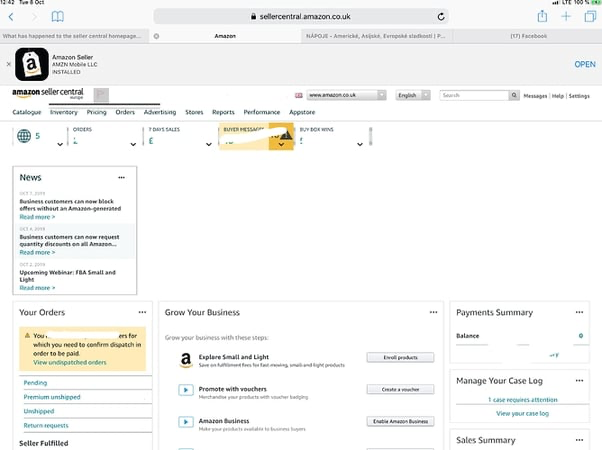
Navigate to Add Products via Upload
Hover over the 'Inventory' menu in the top navigation bar and select 'Add Products via Upload'. This page provides the tools for downloading category-specific templates, uploading inventory files, and reviewing processing status.
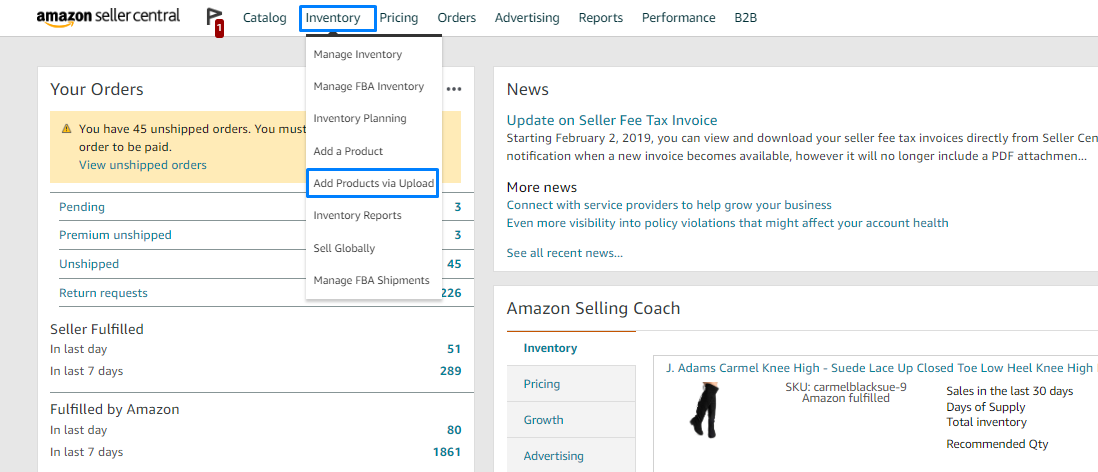
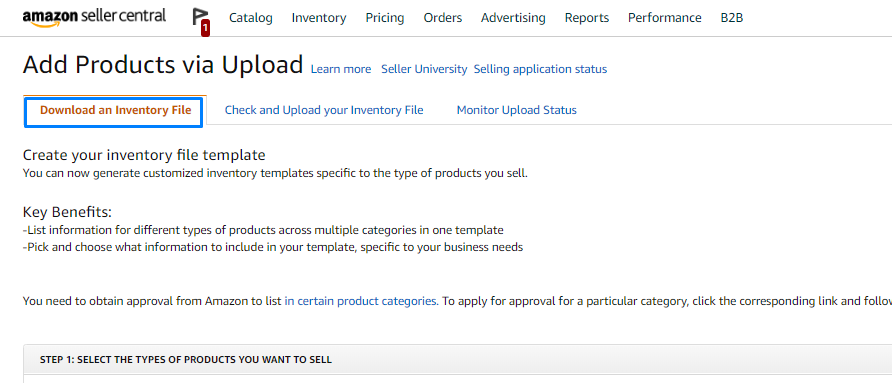
Select Download an Inventory File
Click the 'Download an Inventory File' tab and choose 'Category-Specific Inventory Files'. These templates include the technical specification fields that are unique to each product category, in addition to the standard listing columns.
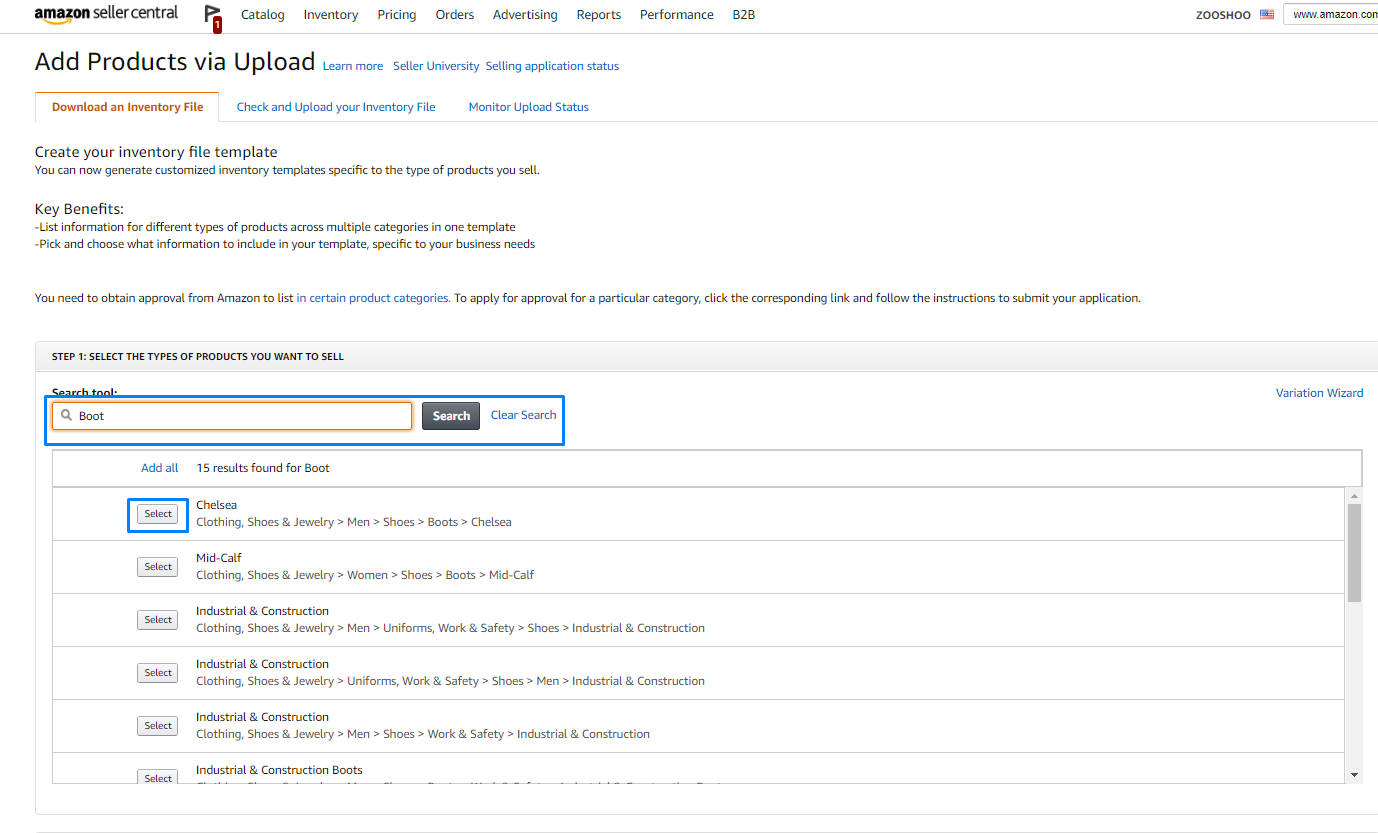
Choose the Electronics category
Browse or search the category list for 'Electronics' or your specific electronics subcategory (e.g., Computers, Cell Phones, Audio). Selecting the right subcategory ensures the template includes the most relevant technical fields such as battery type, wattage, display size, and processor type.

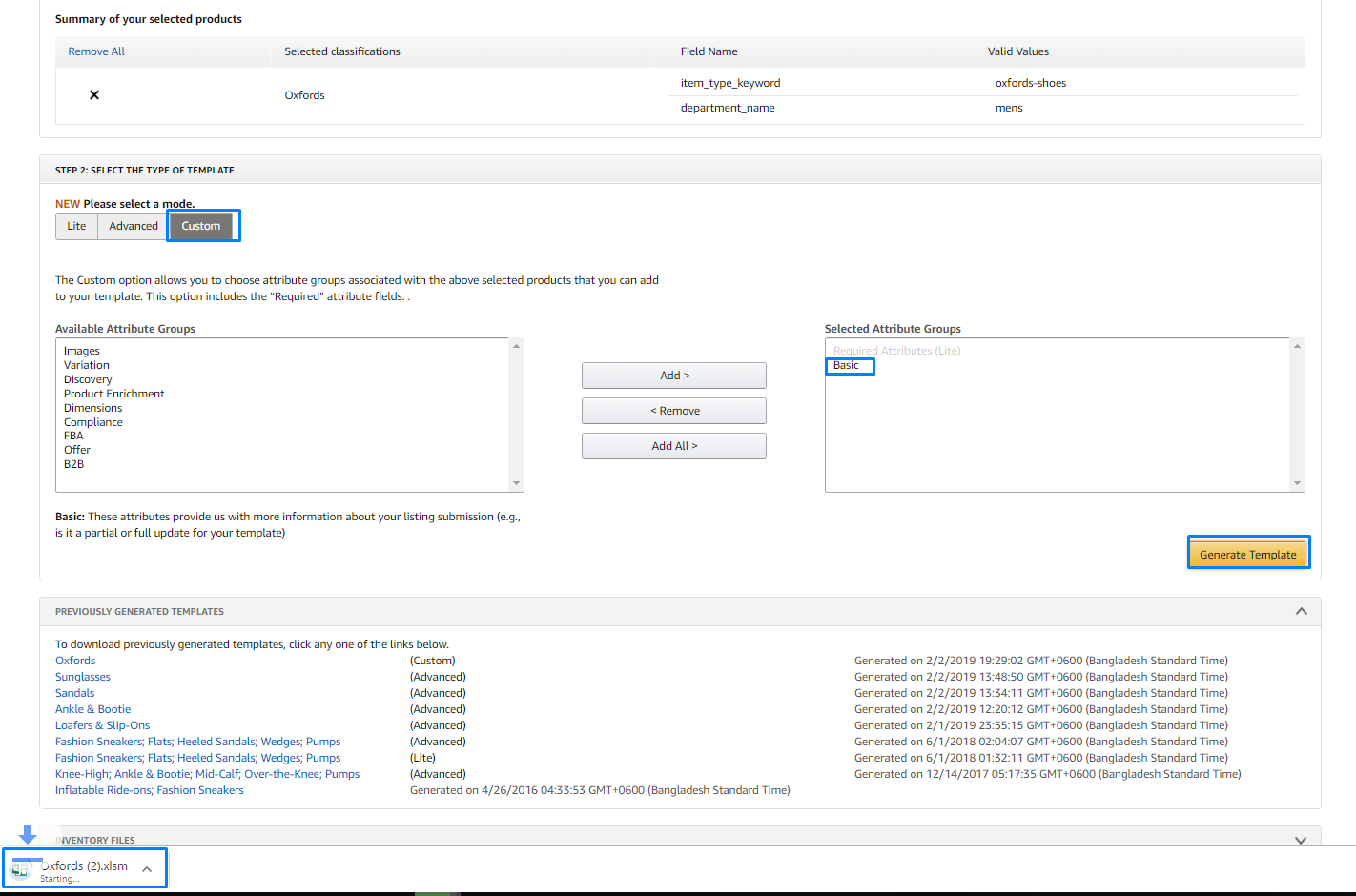
Generate and download the template
Click 'Generate Template' and save the downloaded file. The electronics template includes the standard product fields plus category-specific columns for technical specifications like battery_type, wattage, connectivity_type, display_size, operating_system, processor_type, and ram_memory_installed_size.
Review electronics-specific columns
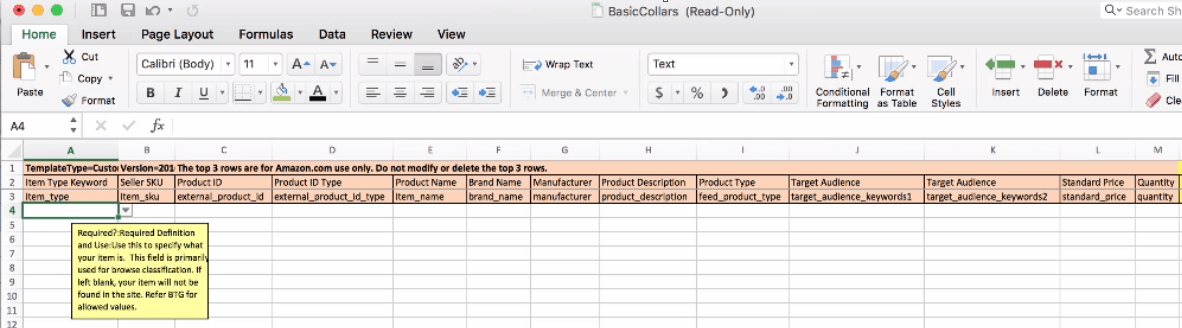
Open the template in Excel and examine the electronics fields. While most technical specification columns are optional, filling them in significantly improves your product visibility in Amazon search results and filters. Check the Data Definitions tab for accepted formats and units for each technical field.

Fill in your electronics product data
Enter your product data row by row, starting with the required fields: item_sku, item_name, brand_name, standard_price, and quantity. Then add the technical specifications such as battery_type, connectivity_type, display_size, and processor_type. Include bullet points highlighting key features to improve conversion rates.
Save and upload the completed file
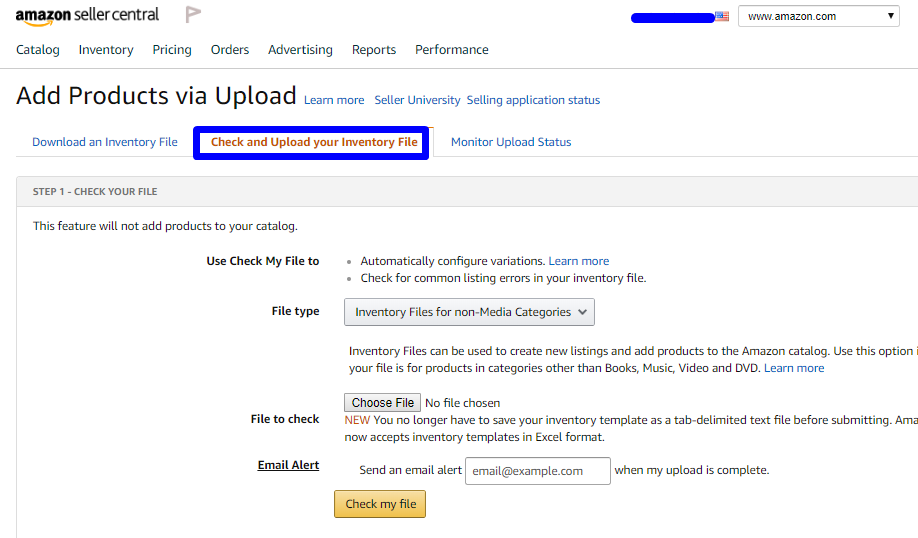
Save the file without altering column headers or sheet names. Navigate to Inventory > Add Products via Upload > Upload your Inventory File in Seller Central. Upload the file and review the processing report for any errors related to invalid specifications or missing required data.
Required Flat File Electronics Fields
| Field | Type | Description | Example |
|---|---|---|---|
| item_sku | Text | Seller's unique SKU identifier | PROD-001-BLK |
| item_name | Text | Product title (max 200 chars) | Premium Wireless Bluetooth Headphones |
| brand_name | Text | Brand name (must match Brand Registry if enrolled) | TechBrand |
| standard_price | Currency | Selling price | 49.99 |
| quantity | Number | Available stock quantity | 100 |
Your Amazon Seller export must include these fields for successful conversion.
